 RateRun
Your Freelance Dashboard, Explained: Hours, Income, and Daily Progress
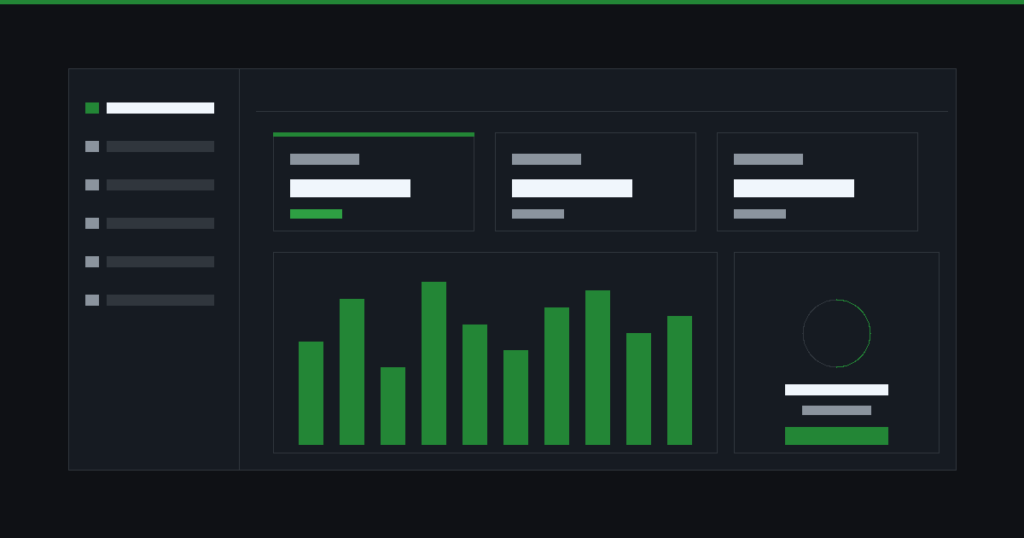
The dashboard is the first thing you see when you log in to RateRun. It is designed to answer one question instantly: how is your freelance business doing right now?
No digging through spreadsheets. No switching between apps. Everything you need is on one screen.
The financial snapshot
At the top of the Dashboard you will find your key numbers — hours worked, billable value, and income received. These update automatically as you track time, create invoices, and log payments.
You can toggle between four views: daily, weekly, monthly, and yearly. Each one recalculates your totals so you can zoom in on a single day or zoom out to see the full picture.
If you bill in multiple currencies (USD, GBP, EUR, AUD, or CAD), each currency is shown separately so there is no confusion about conversions.
See your earnings at a glance
Track hours, income, and billable value — updated in real time.
Hours worked vs billable value
These two numbers tell very different stories. Hours worked is the raw time you have tracked. Billable value is what that time is worth based on your project hourly rates.
Why does this matter? Because not all hours are equal. An hour on a project billed at $120/hr is worth three hours on a $40/hr project. The dashboard makes this obvious at a glance, so you can make smarter decisions about which work to prioritise.
Over time, you will start to notice patterns — maybe your highest-value client only takes 10 hours a month, but those 10 hours earn more than 30 hours on another project. That is the kind of insight that changes how you run your business.
Income tracking
The income section of the dashboard pulls from two sources: invoices marked as paid and entries in your Income Log. Together, they give you a complete picture of money received.
This is especially useful at tax time. Instead of going back through bank statements, you have a clear record of every payment — when it came in, which client paid, and how much. You can also track expenses alongside income to understand your actual profit.
Keep every penny accounted for
Income from invoices and manual entries, all in one place.
The daily progress ring
This is a small thing that makes a big difference. The progress ring sits on your dashboard and fills up as you work through the day. It is based on your tracked hours and gives you a quick visual nudge — am I on track today, or have I been slacking?
It is not about guilt. It is about awareness. Freelancers do not have a manager checking in, so the progress ring acts as a gentle accountability tool. Some users tell us it is the thing that keeps them opening RateRun every morning.
Combined with the timer, it turns your dashboard into a daily cockpit. Start the timer, watch the ring fill, check your earnings. That is the routine.
Build a daily habit that pays
The progress ring keeps you focused without the pressure.
How it all connects
The dashboard is not a standalone feature — it is the hub that ties everything together. Your clients, projects, timer sessions, invoices, and income all feed into it.
When you track an hour, the dashboard updates. When an invoice gets paid, the dashboard updates. When you log an expense, your profit margin adjusts. There is nothing to configure and nothing to sync — it just works.
One screen. Everything you need.
Timer, clients, invoices, expenses — all feeding into your dashboard.